Disclaimer: This article is not affiliated with Elysium Health. This is a case study of my work as an engineering intern. Please visit elysiumhealth.com for more information or products about Elysium Health.
Overview
During a remote engineering internship at Elysium Health, I was the sole developer on two internal prototypes: a React Native mobile app and an AI wellness assistant called Elyse AI. Both were internal prototypes that are not launched publicly. They were built to demonstrate the opportunity of mobile and AI to the broader organization. The work was presented to leadership and all code was transferred to the Elysium Health GitHub organization at the end of the internship.
Elysium Health is a longevity science company with 8 Nobel laureates on their advisory board and 18+ registered clinical trials. Their products include biological age testing kits and science-backed supplements. The development team wanted to explore what a mobile companion app could look like: one that tied together their Index biological age kit, their product catalog, and an AI assistant trained on their research.
I worked remotely with weekly syncs, delivering iterative demos that included team feedback each cycle.
The Mobile App
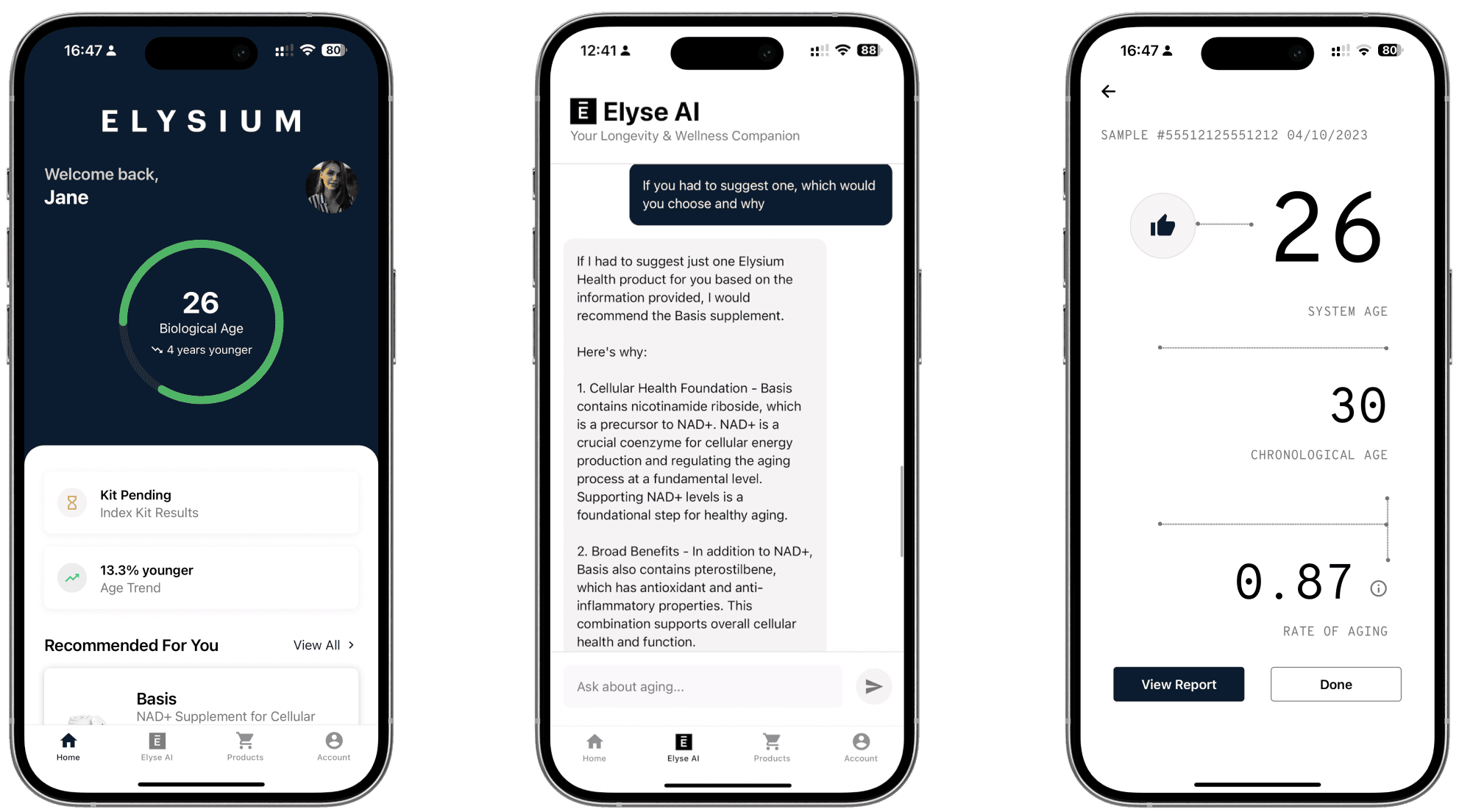
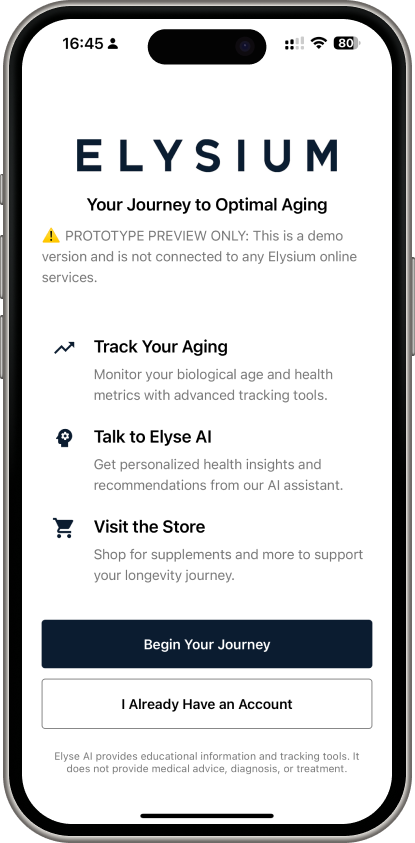
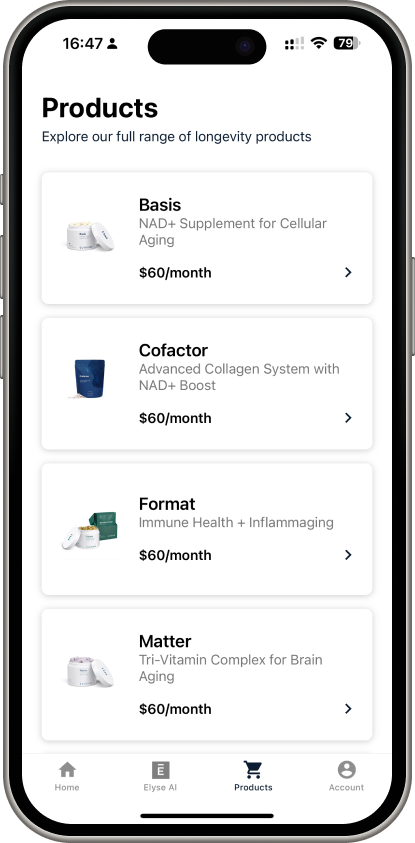
The mobile app was built in React Native with Expo Router, targeting iOS. The target userbase is in the United States with it known most revenue comes from iOS users. It is a longevity-focused health companion with biological age tracking, AI chat, supplement recommendations, and Index Kit registration.
Core Screens
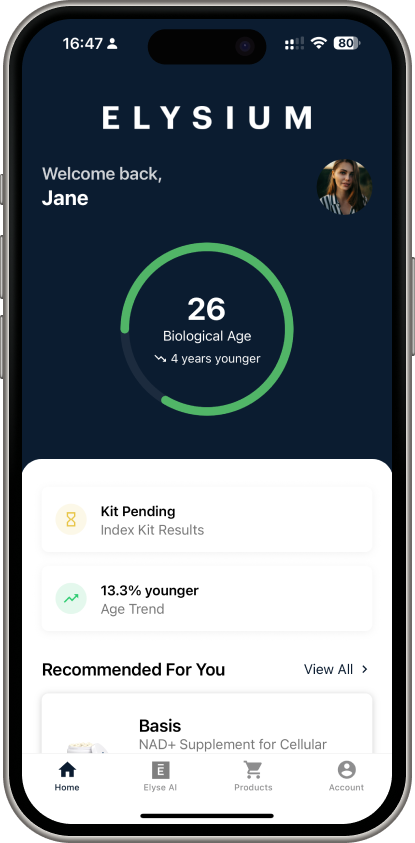
- Home Dashboard: An animated circular progress ring showing biological age versus chronological age, Index Kit status tile, age trend stats, a recommended product, and entry points to the quiz and facial analysis features
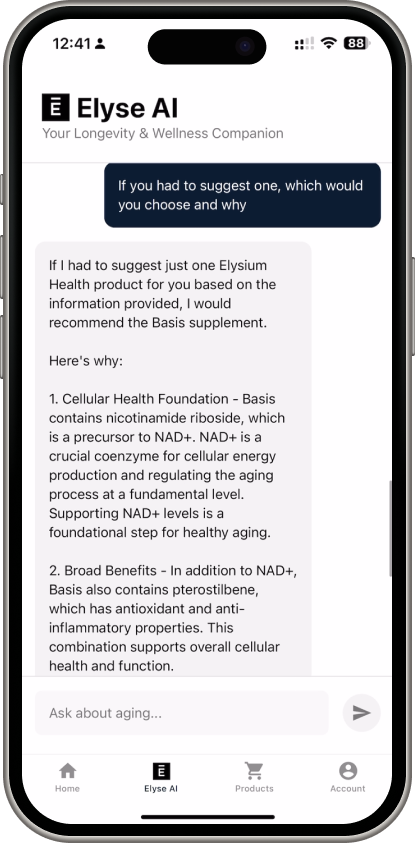
- Elyse AI Chat: Server-Sent Events streaming with markdown rendering, a drawer sidebar for session management, and a header link to voice mode
- Products: A product catalog grid with subscription options
- Account & Settings: Profile summary, registered kits, demographics editing
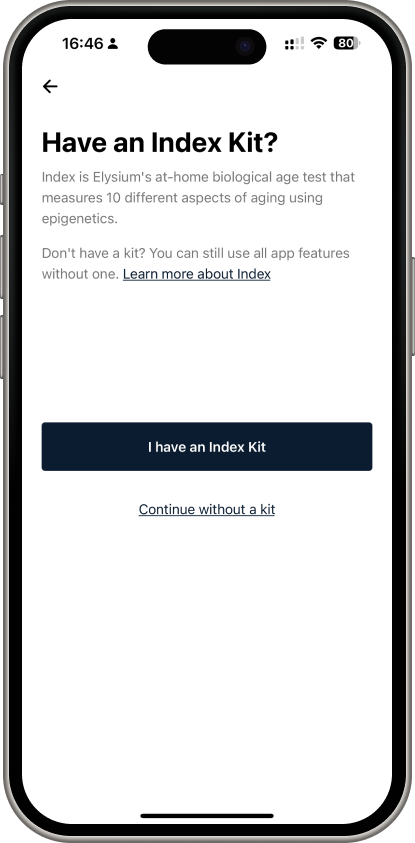
Index Kit Registration
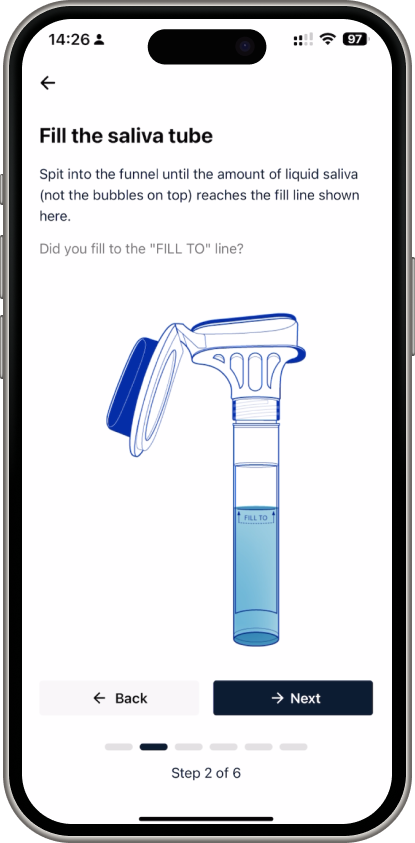
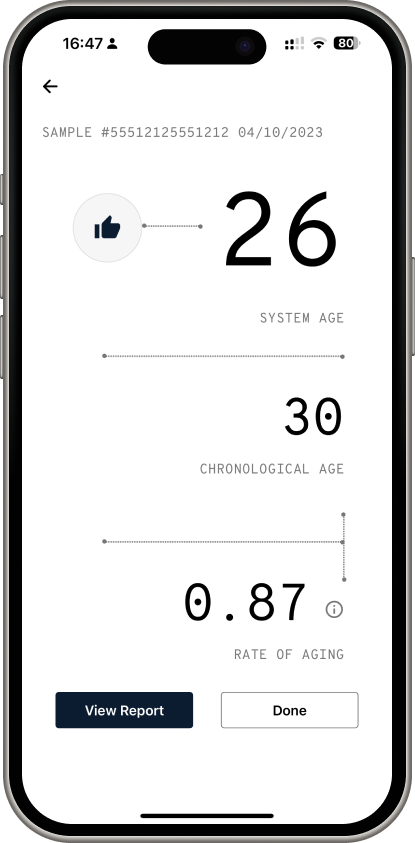
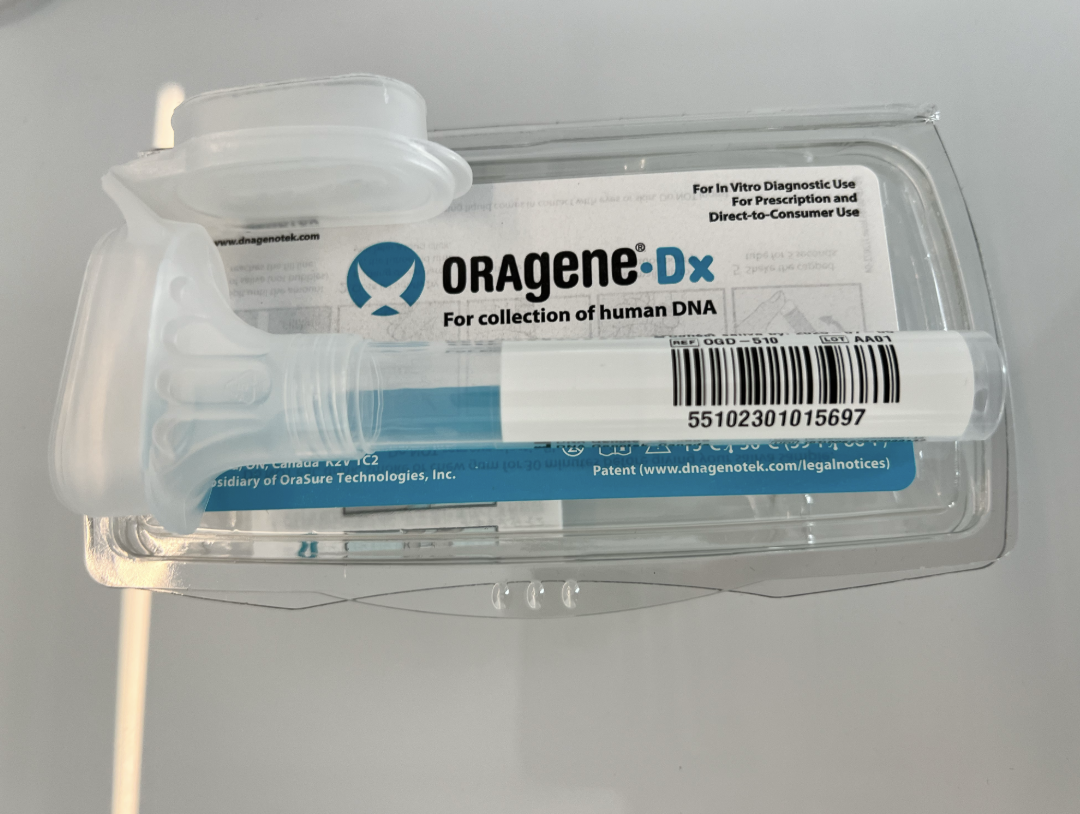
Elysium's Index Kit is an at-home biological age testing kit. The mobile app needed to handle the full registration flow: scanning the kit barcode (or manual entry), walking users through six instructional steps for the saliva collection, and displaying mock results.
I copied the step-by-step instructions from Elysium's existing web experience and translated them into a mobile-native form with progress indicators and clear illustrations at each stage. The camera integration handled both barcode scanning and the facial analysis demo feature.
Elyse AI
Elyse AI was the more exploratory prototype. It was a conversational AI assistant trained on Elysium Health's product catalog, scientific research, and aging science. It could provide personalized supplement recommendations, explain aging mechanisms, and answer questions about Elysium's research partnerships, all while strictly avoiding medical advice.
The system used OpenAI GPT-4o with custom function calling and a sophisticated two-tier search system (quick response for conversational replies, detailed search for research-backed information). I built a comprehensive knowledge base by scraping Elysium's published articles and scientific research, then structuring it for vector search.
Safeguards
The AI had strict safety protocols: it can never provide medical diagnoses, can never speculate about health outcomes, and actively refers users to healthcare professionals when questions crossed that boundary. We tuned the temperature down for predictability and implemented "I don't know" responses rather than risk hallucination.
The Web Deploy
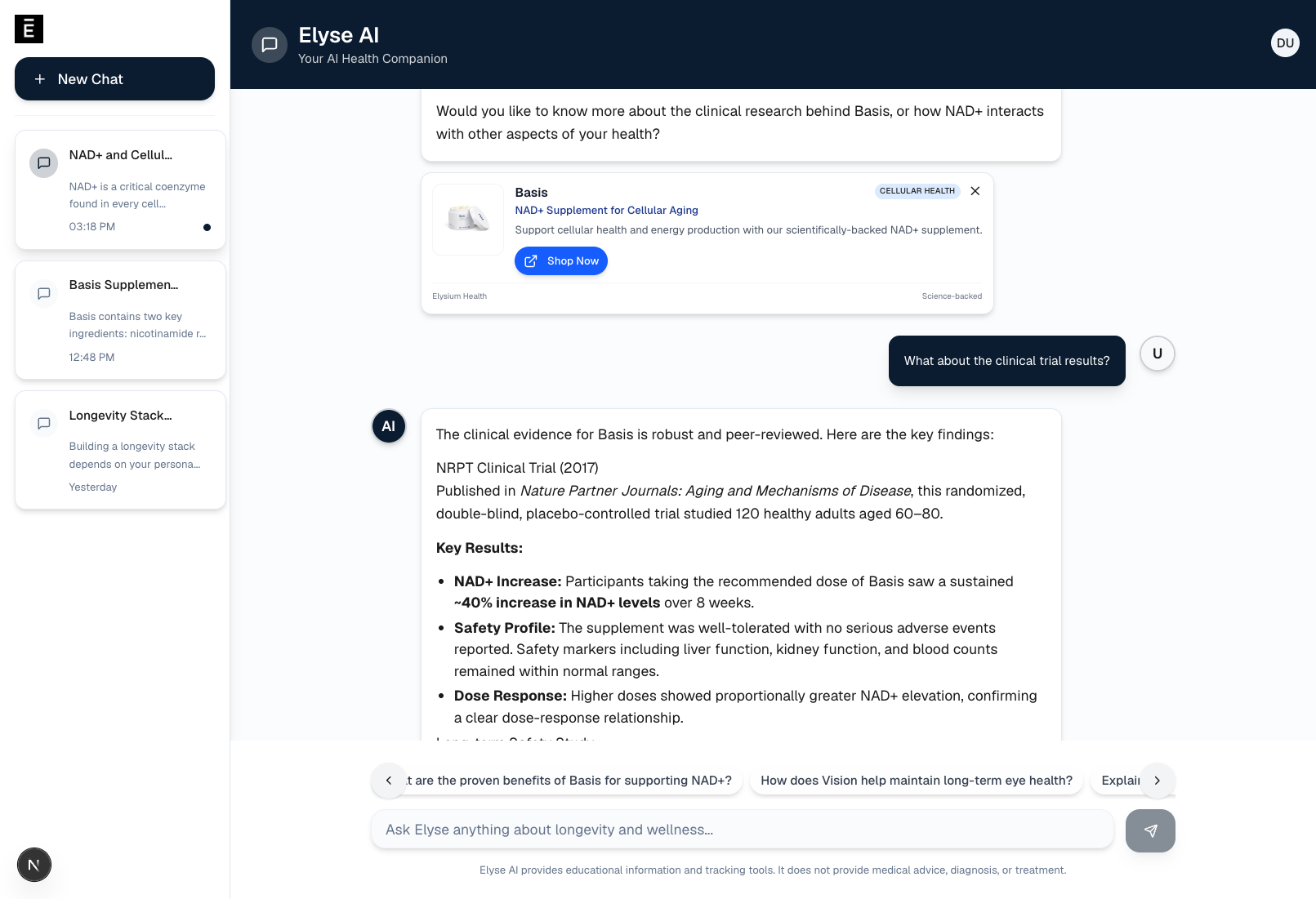
Midway through the internship, the team needed a way for non-developers to try Elyse AI without running the mobile app locally. I built a separate web deployment: a Next.js chat interface authenticated with Auth0 so only people with Elysium Health email addresses could access it. This became the primary way leadership and the CX team evaluated the prototype.
The web version included chat session persistence via Supabase, product detection with contextual product cards, suggestion cards for common inquiries, and the same streaming responses with tool call visualization. It was essentially the same AI backend, just with a desktop-friendly interface that anyone on the team could open in a browser.
Technical Architecture
The technical stack across both prototypes:
- Mobile App: Expo 53, React 19, React Native 0.79, Expo Router (file-based routing), AsyncStorage for persistence, expo-camera for barcode/facial capture, react-native-svg for the biological age visualization
- Elyse AI Backend: OpenAI GPT-4o with 20+ custom function-calling tools, Supabase for chat persistence and user data, pgvector for semantic search over the knowledge base
- Voice Mode (Experimental): ElevenLabs conversational AI with dynamic user context variables, mic permissions, and live transcription
- Web Interface: Next.js, real-time SSE streaming, the same backend endpoints as mobile
- Infrastructure: Fly.io for the AI server, Supabase for database and auth, all repositories transferred to the Elysium Health GitHub organization
Auth was fully mocked in the mobile prototype (local state only). The goal was demonstrating UX, not building production auth infrastructure.
The Pitch
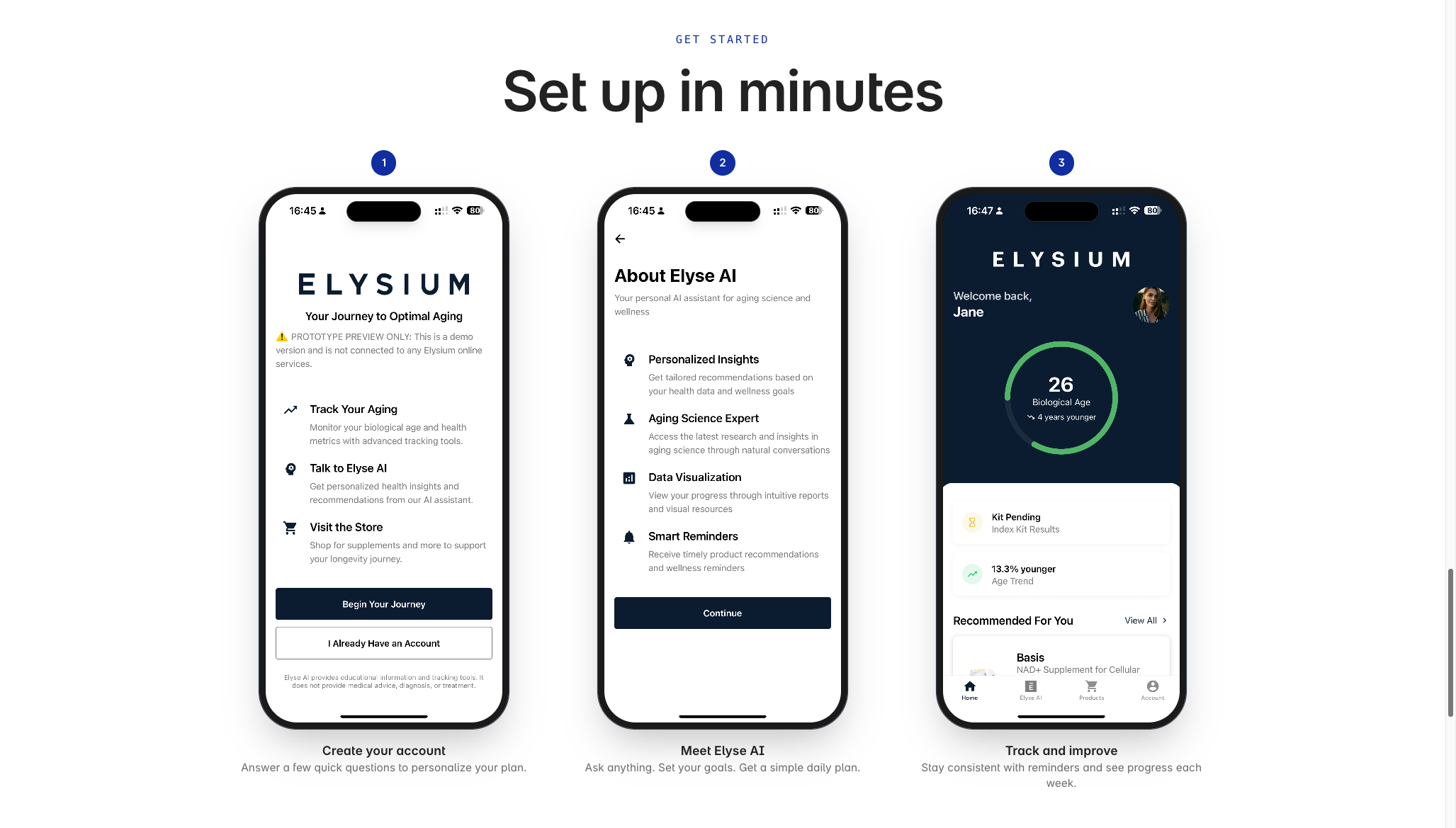
Beyond the prototypes themselves, I built an internal landing page that framed the business case. It covered why Elysium Health should invest in mobile and AI, the total addressable market for longevity apps with AI integration, ROI modeling, and a feature overview. The landing page consolidated everything I had built and the opportunity it represented into a single URL the development team could share with leadership.
We found that the wellness AI space was growing fast, and mobile apps with biological age tracking and AI personalization represented a real opportunity for customer retention and subscription engagement.
How We Worked
The internship was fully remote. I met weekly with Rocky and Jason for sync calls where I demoed progress and incorporated their feedback. The loop was to build the features during the week, demo on Tuesday, iterate based on feedback, repeat.
Their feedback was specific and actionable. The team caught things like chat suggestions disappearing after typing (we decided to keep them visible until explicitly dismissed), bulleted list formatting inconsistencies in AI responses, and product card styling improvements. I shipped fixes between syncs and kept the prototypes on a trajectory where each weekly demo showed meaningful progress.
By the end of the internship, all code was transferred to the Elysium Health GitHub organization, the web deployments were transitioned to their accounts, and I delivered a closing video walkthrough documenting everything I'd built and how to run it locally.
What I Learned
This was my first experience building AI products with safety constraints. I was incredibly concerned about the implications of an AI chatbot giving medical advice, such as hallucinating medical diagnoses or treatment advice. I was reinserting the System Prompt after several turns to ensure the AI was adhering to the safety constraints. I also was insistent on choosing when to say "I don't know" versus when to link to published research.
I also learned how to prototype at speed for internal stakeholders. The goal was not production-ready code; it was to prove the experience of the opportunity. That is why I mocked authentication, and always kept the demo path polished.
So, working remotely on a solo engineering track taught me how to communicate async effectively. Weekly demos with recorded video walkthroughs, clear documentation, and setup tutorials meant the team could evaluate my work without me being in the room.